Toon Crash Demo | Play Toon Crash Cards Game at Nice P
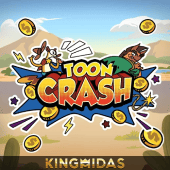
Toon Crash is a fast, easy-to-read cards game on Nice P built around one important choice: when to leave a rising multiplier. A bright cartoon character moves along the course while the displayed value changes. You choose a stake, watch the round, and cash out before the crash. The Toon Crash Demo makes that sequence easy to understand before you decide whether a live session suits your time and budget.
The focused layout keeps the stake, multiplier, character, and cash-out control close together on a phone. That makes Toon Crash a practical option for a short, deliberate session rather than a game that requires a long table of rules. Results are always uncertain, so the Toon Crash Demo should be treated as a way to learn the interface, not as a forecast or a promise.
Toon Crash: What Is the Game?
Toon Crash is a cards game in which the visible multiplier rises until an unpredictable crash ends the round. The player begins by choosing a comfortable stake and then observes the animated run. If the player uses cash out in time, the round closes at the value shown. If the crash arrives first, that attempt ends. This gives Toon Crash a clear rhythm: prepare, observe, make one decision, and review.
Unlike a traditional hand that asks you to arrange several cards, Toon Crash places the emphasis on timing and attention. The Toon Crash Demo shows where the stake, current multiplier, cash-out action, and recent-round information appear. New visitors can use the demo to check the pace and touch controls without confusing a practice result with a live outcome. That short orientation is especially useful on a smaller screen.
The cards game format is simple to explain, but simple controls do not remove risk. A multiplier can stop at any point, and no previous round tells you what the next round will do. Keep a personal spending limit, avoid chasing a loss, and pause when the planned session ends. A Nice P app visitor can browse Toon Crash, read the information on screen, and leave the lobby whenever the game no longer feels comfortable.
For a measured introduction, open the Toon Crash Demo, identify each control, and observe a few complete rounds. Ask whether the animation is readable, whether the cash-out action is easy to find, and whether the pace matches your attention. Those practical answers are more useful than a single result. Toon Crash is best understood as entertainment with an uncertain outcome.
Toon Crash Game Achievements
Toon Crash achievements should show learning and consistency, not suggest guaranteed profit. Useful milestones include completing the first orientation, locating the cash-out control without hesitation, recording a planned exit, and ending a session at the limit you selected. These are healthy indicators for a cards game because they measure process rather than luck. A badge or progress marker is most helpful when it reminds you to review your decisions.
The Toon Crash Demo is a calm place to learn how a history panel or achievement notice is presented. Note the round number, the chosen exit plan, and whether you followed it. Then take a break before deciding what to do next. A milestone in Toon Crash should never be a reason to increase a stake or continue after your time limit. The Nice P app makes it convenient to stop between short learning stages.
A sensible Toon Crash progression has three steps. First, understand the round flow and confirm that the display works well on your device. Second, practise one repeatable observation routine in the Toon Crash Demo. Third, review the session and decide whether this cards game belongs in a future entertainment window. The goal is a clear habit: decide the limit first, observe calmly, and close the game when the limit is reached.
You can also record non-financial achievements, such as learning the mobile controls, taking a planned pause, or comparing the interface with another Nice P game. The comparison keeps expectations realistic. Toon Crash gives immediate visual feedback, but visual excitement is not evidence of a better result. Use progress information to support awareness, never to pressure yourself into another round.
Toon Crash Selection Criteria
Choose Toon Crash when you want a brief round, one visible decision, and a compact cards game interface. Before opening a live round, check four things: the planned session length, the amount you are prepared to spend, the clarity of the cash-out control, and your ability to stop. If any answer is uncertain, stay with the Toon Crash Demo or return later. A good selection is about fit, not about finding a title that can remove uncertainty.
The first criterion is pace. Toon Crash suits someone who prefers a short timing exercise to a long multi-card hand. The second is screen comfort: the multiplier and exit action should remain visible without zooming or hurried tapping. The third is personal discipline. A cards game can be enjoyable only when the session remains inside a limit chosen before the animation begins. The fourth is variety; if the rhythm does not suit you, the wider library offers other categories.
Visitors who prefer arranging a hand can compare Toon Crash with Tongits. The contrast is useful because Tongits asks for a different kind of attention, while Toon Crash centres on one changing value and one exit decision. Try the Toon Crash Demo to compare pace and controls, not to compare a practice result with a live result. The Nice P app keeps the choice between different styles straightforward.
Read the screen before selecting a stake. Confirm the current value, identify the cash-out action, and set a stopping point by time or number of rounds. A player reviewing Toon Crash should consider loading speed, touch response, readable text, and the ability to leave cleanly. These details matter as much as the animation when selecting a cards game for a mobile session.
The final rule is to prefer clarity over excitement that changes your plan. Toon Crash provides rapid feedback, so write down your intended exit and session boundary first. If the round feels rushed, close the Toon Crash Demo and take a break. A careful choice remains useful even when the outcome is not what you hoped for.
Toon Crash Use Case Guidance
Toon Crash can serve as a warm-up, a short break, or a way to learn a crash-style cards game interface. For a warm-up, open the Toon Crash Demo and watch enough rounds to locate the controls. For a short break, choose a fixed time window and close the game when it ends. For learning, focus on one action at a time and make a note of what the history panel records. Each use case works best with the same deliberate limit.
A new visitor can use the Toon Crash Demo to understand the animation before making any live choice. An experienced Nice P visitor may use Toon Crash between longer activities, provided the planned break remains short. Someone using a small phone can check whether the single-lane presentation leaves the key information visible. In all three cases, the demo is a learning tool and not evidence of a future result.
A player who wants a slower fishing experience can move from Toon Crash to Ocean King Jackpot. Those games ask for different kinds of attention: Toon Crash focuses on one exit decision, while a fishing title may feel more continuous. Changing pace is a personal preference, not a reason to raise a stake. Keep the same budget and stopping rule when moving between categories.
Toon Crash can also be a comparison tool. Spend a limited time in the Toon Crash Demo, then decide whether the compact rhythm feels comfortable. If you want to compare categories, use the Nice P Games catalogue and read the labels before choosing another title. Evaluate the controls, speed, and clarity rather than judging a whole game by one high or low round.
For every use case, prepare before the first animation: set the time, choose the maximum number of rounds, and decide what will make you stop. The Nice P app makes it easy to browse again later, but easy access should not replace a plan. Toon Crash remains a better short-form cards game experience when the player can pause, review, and leave without pressure.
Toon Crash Play Now CTA
Ready to explore Toon Crash? Start with the Toon Crash Demo, confirm that the controls are comfortable, and choose only a session that fits your own plan. Open the Nice P app, enter the cards area, and select the Toon Crash icon. Check the stake before the round starts, watch the multiplier, and use cash out only when it matches the exit point you chose in advance. A clear plan gives the cards game a defined beginning and end.
Toon Crash is easy to revisit because the layout stays focused. The Toon Crash Demo can refresh the sequence whenever you need it, while a live round belongs only in a setting where the conditions feel comfortable. Keep the screen readable, avoid rushing after a crash, and remember that neither a demo nor a live result guarantees the next outcome. Pause, review, and let the session end at the boundary you selected.
This page explains the game flow and responsible ways to compare it; it does not promise winnings. If Toon Crash is not the right fit today, simply leave the lobby and return another time. The best Nice P experience is one where the player understands the controls, respects a personal limit, and treats every cards game result as uncertain entertainment.